v25.12.0 #
15 Dec 2025
Highlight
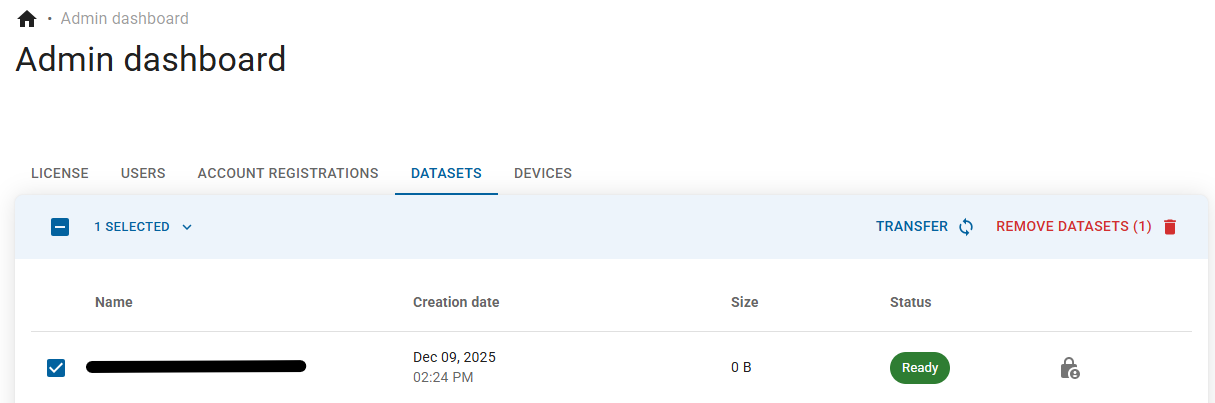
Transfer dataset
You can now instantly transfer datasets to other AI Lab accounts! Easily hand over full ownership of a dataset to another user or team, perfect for collaborative workflows like system integrators delivering trained datasets to customers after factory acceptance test. The entire process is simple, secure, and fully auditable, with automatic email notifications at every step to keep both parties informed. Get started by going to 'Datasets' of your 'Admin dashboard', select a dataset and click 'Transfer'!
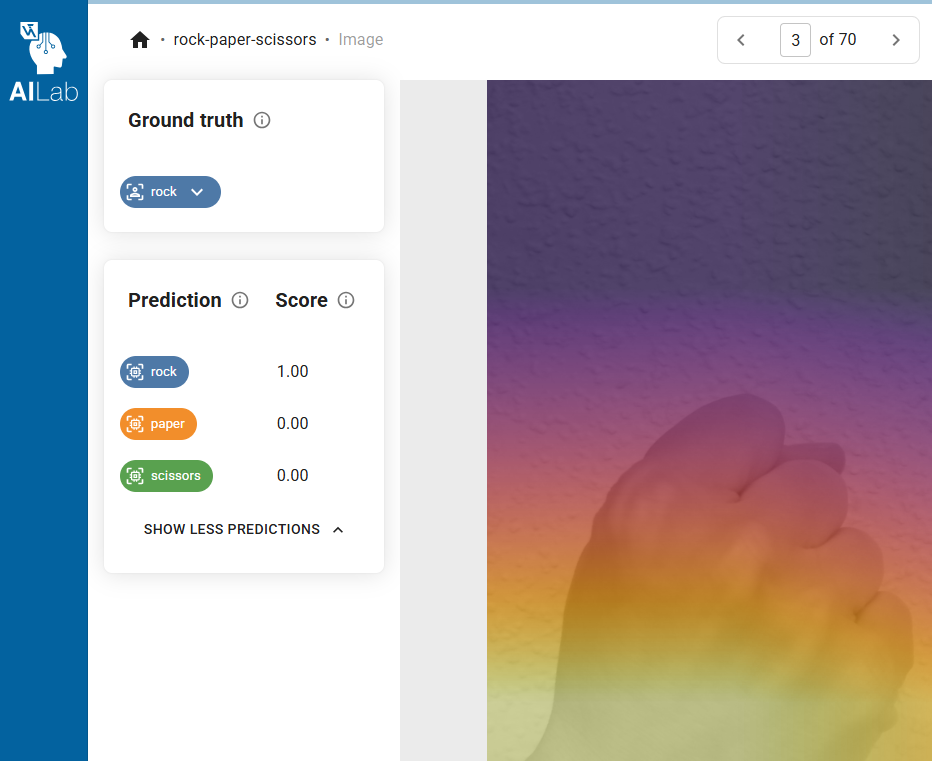
Prediction score at image page
You can now see the exact prediction score for all classes directly on the image detail page! The prediction score (between 0.0 and 1.0) shows how confident the model is in each possible class.
- A score close to 1.0 → the model is very sure (e.g., 0.98 NOK = almost certain the part is defective)
- A score close to 0.5 → the model is uncertain (perfect cue to review, re-label, or add similar images)
- A score close to 0.0 → the model is confident it’s NOT that class
Why this matters for data-centric AI:
Low-confidence predictions instantly highlight the images where your model is weakest. Instead of guessing why did the model get this wrong? You now immediately see where it’s unsure, making it dramatically easier to prioritize new data collection, clean labels, or trigger active-learning loops.
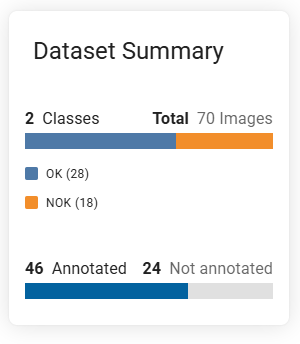
Dataset statistics at dataset page
Dataset statistics is now also available at dataset page! You can now conveniently review total number of images, class distribution, labelling progress and annotation coverage. Whether you’re preparing a model training run, sharing a dataset with a customer, or just checking balance before handover, everything you need is now front and center - clear, visual, and always up-to-date.
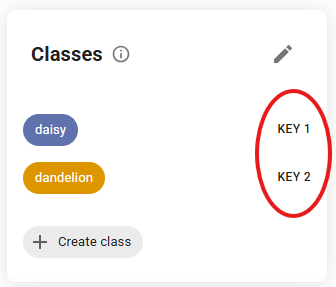
Updated labeling experience on the image page
We’ve streamlined the labeling workflow! The old “class key” on the image page no longer directly assigns a class. Instead, we now fully rely on our fast hotkey labeling (1, 2, 3… for your classes) and the dropdown list at ground truth.
Why the change?
Having multiple ways to do the exact same action was causing confusion and occasional mis-labels. By focusing on the lightning-fast method - the hotkeys - you’ll label 2–3× faster, with fewer mistakes and a much smoother experience.
Your current hotkey mapping is always visible. Give it a try if you haven’t already, you’ll love the speed! 🚀
As usual, we have also included bugfixes and performance improvements. We hope you enjoy the new features and improvements!