v26.02.0 #
23 Feb 2026
Highlight
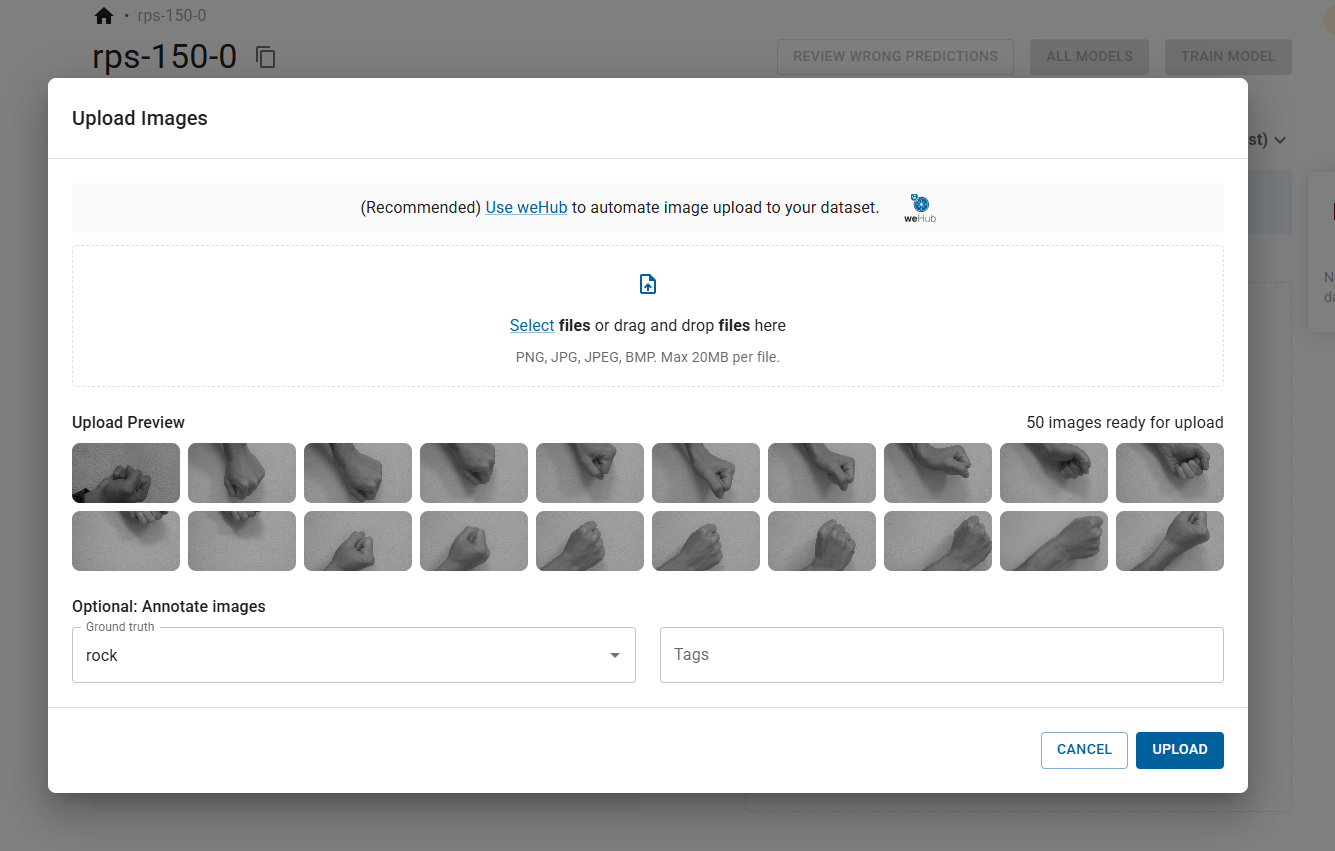
Image upload revamp
You can now annotate the images when you upload them! This is especially handy when your images are already sorted into folders by class. Just drag and drop the images, pick the right class for that batch, hit upload, and you're done. While the upload is running, you'll see a clear progress bar so you always know how it's going. Get started by going to dataset page, then either drag & drop your images or click the upload icon to get started.
Dataset export
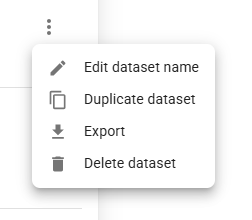
Yes, you can now download everything you've carefully curated in one go! Just head to datasets page, click the kebab menu and select 'Export'. An email with a download link will be sent to you shortly. The exported dataset is in the datumaro format. We’ve included a handy code snippet in the README.md file inside the ZIP to show how easy it is to load the dataset back into Python (using Datumaro itself or other tools). Great for further processing, converting to another format, training models, or just keeping a portable backup.
Quick introduction video
We've added a short welcome video right on the AI Lab dashboard!
When you log in, you'll now see a clean, embedded video player that walks you through the full workflow and best practices in under 5 minutes:
- Capturing images with your wenglor camera
- Buffering and reliable upload via weHub
- Annotating and organizing in AI Lab
- Training a deployment-ready model
- Deploying back to uniVision for real-time inference
It's the perfect quick-start for new users or a handy refresher!
As usual, we have also included bugfixes and performance improvements. We hope you enjoy the new features and improvements!